Effects
Spectral editing
Surgical repair in the spectrogram — remove a whistle or click without touching the rest.
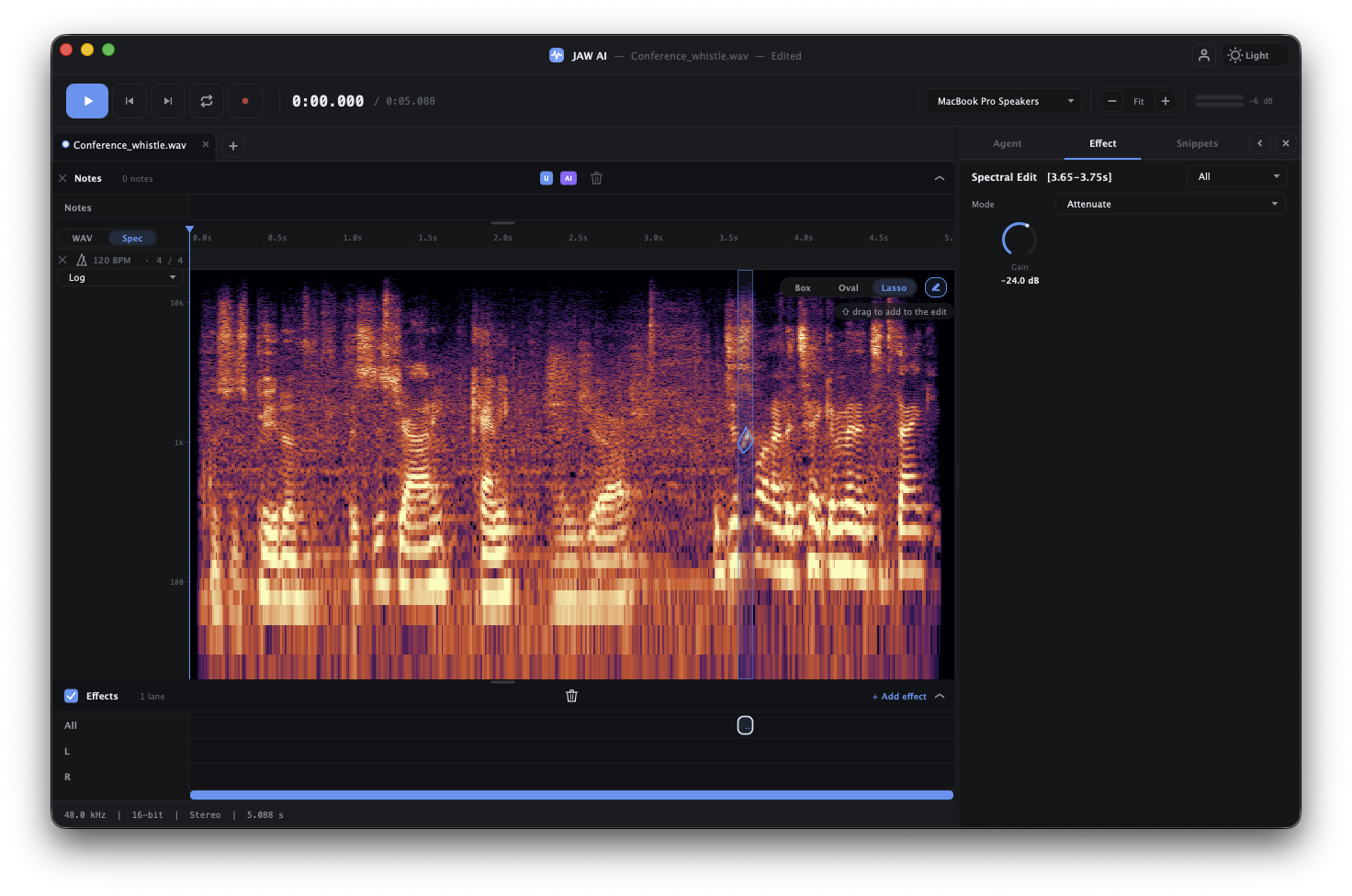
Some problems live at a specific place in both time and frequency — a cough during a word, a whistle over a chord, a single click. Spectral editing lets you select and treat exactly that patch in the spectrogram, leaving everything around it untouched.
Spectral editing vs. EQ
- EQ shapes tone broadly and continuously — turn a frequency band up or down across the whole selection. Great for overall balance.
- Spectral editing is surgical — remove or attenuate a specific time-frequency region without affecting the same frequencies elsewhere. Great for isolated, localized defects.
Making a spectral repair
Switch the timeline to the spectrogram view with the WAV / Spec toggle, find the offending mark, and select it. The agent is often the fastest route here — it can detect tonal components and problem regions for you and clean them up on request (“remove the whistle”), or you can target the region yourself.