The AI agent
Working with the AI agent
How the chat works, selection vs. whole-file scope, undo, and what it can do.
The AI agent is the heart of JAW AI. You type a request in plain English into the chat panel, and the agent carries it out by running real, deterministic DSP tools on your audio — the same operations available in the menus, just driven by conversation.
How a request works
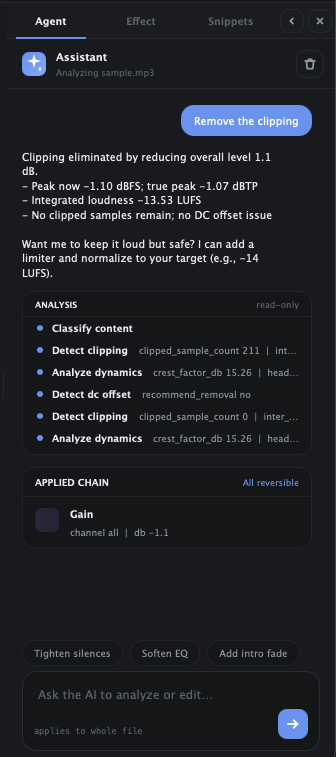
Ask for something — “normalize this to streaming loudness”, “remove the hum”, “tighten the silences” — and the agent plans and runs a chain of edits, showing you what it's doing as it goes. Because the tools are deterministic, the same request produces predictable, inspectable results rather than a black-box render.
Selection vs. whole-file scope
The agent works on your current selection, or the whole file if nothing is selected — exactly like the manual tools. Select a region first to keep an edit surgical. You can also let the agent set the selection for you (“select the speech”).
Everything is one undo step
No matter how many individual edits the agent makes for a single request, they collapse into a single undo. If you don't like the result, ⌘Z reverts the whole thing cleanly, and you can ask again differently.
Working across files
With several documents open in tabs, the agent can reference and act on them by name, so you can ask it to apply the same treatment to more than one file.
What it can — and can't — do
- Can: analyze audio (loudness, dynamics, tempo, problem regions), make selections, apply and tune effects, do frequency-aware spectral repair, read and write notes, and chain these into a multi-step edit.
- Can't: invent audio that isn't there, or bypass your review — everything it does is a normal, non-destructive, undoable edit you can inspect and adjust.