Mixing & output
Exporting your audio
Bounce to WAV, AIFF, FLAC, Ogg, MP3, or AAC with an A/B preview before you save.
When your edit is done, File ▸ Save As… renders the non-destructive effect stack down to a finished audio file. The export dialog lets you choose the format and quality, and preview the result before you commit.
Formats
- Lossless / PCM: WAV, AIFF, FLAC — with a selectable bit depth.
- Lossy: Ogg Vorbis; MP3 (choose CBR, ABR, or VBR and a bitrate); AAC (
.m4a, choose a bitrate).
You can also set the sample rate and channel count at export. The dialog only offers bitrates and rates that are valid for the chosen format.
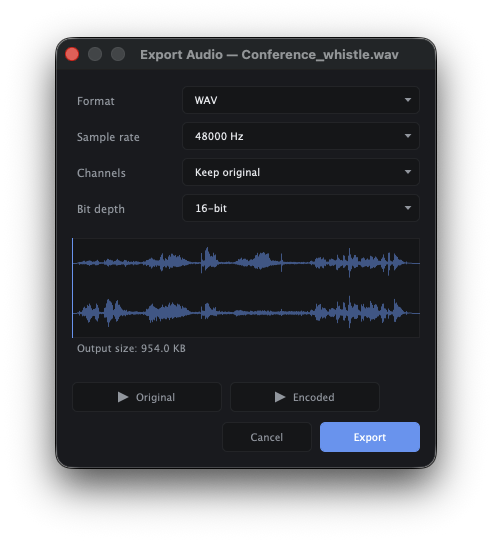
A/B preview before you save
Lossy formats change the sound. The dialog lets you audition the encoded output against the original, switching between them at the same playback position, so you can confirm the quality holds up before writing the file.