Working with audio
Recording audio
Capture from a microphone or input device straight into a document.
You don't need an existing file to start — record straight into JAW AI from your microphone or audio input, then edit the capture like any other document.
Open the recorder
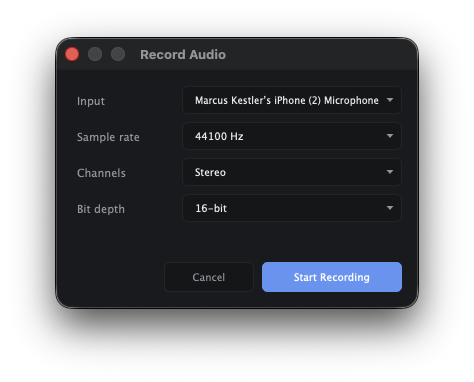
Choose File ▸ Record to open the recording dialog.
Grant microphone access
The first time you record, macOS asks for permission to use the microphone. Click Allow. If you dismiss it, you can re-enable access later in System Settings ▸ Privacy & Security ▸ Microphone.
Record, then stop
Start recording, capture your take, and stop. The recording opens as a new document on the timeline, ready to trim, clean up, and mix.